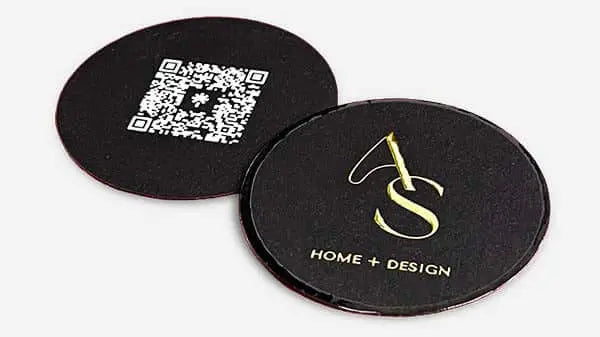


What is a business card mockup? Guide for premium branding
TL;DR:
- Mockups provide realistic, 3D representations to evaluate tactile feel, finishes, and proportions before printing.
- Creating mockups ranges from quick online generators to advanced Adobe tools, depending on skill and finish complexity.
- In 2026, mockups increasingly incorporate multi-angle views, specialty finishes, and sustainable textures to meet high-end standards.
Your digital design file looks great on screen. But you still don’t know how the card actually feels in someone’s hand, or how the gold foil catches light. That’s the gap most brand owners miss. A mockup bridges it. Before you approve print production for any serious card project, a realistic mockup shows you what you’re actually getting. This guide covers what business card mockups are, how they’re made, how they handle premium finishes, and what trends are shaping them in 2026. If you care about first impressions, this is worth reading.
Table of Contents
- What is a business card mockup?
- How business card mockups are created: Tools and methods
- Business card mockups for specialty finishes and unique features
- Trends and best practices for business card mockups in 2026
- Our expert perspective: What most guides miss about business card mockups
- Experience your next custom business card with a professional mockup
- Frequently asked questions
Key Takeaways
| Point | Details |
|---|---|
| Visualizes real impact | A mockup shows exactly how your card will look in real life, not just on a screen. |
| Avoids costly errors | Seeing your design in context catches mistakes before you print. |
| Supports specialty finishes | Unique elements like foil or embossing should always be viewed in a tailored mockup. |
| Follows latest trends | 2026 mockup best practices use tactile realism and sustainable palettes for stronger branding. |
What is a business card mockup?
A mockup is not just a preview. It’s a simulation. A business card mockup is a realistic digital visual representation of a business card design placed in a real-world context. That means your design appears on a card shown at an angle, on a desk, in a hand, or fanned with other cards. It includes lighting, shadows, and surface texture.
This is fundamentally different from a flat design file. A flat file shows your layout on a white canvas. A mockup shows your card as it would actually look when printed and held.
“A flat design file tells you what’s on the card. A mockup tells you what the card is.”
Here’s what a quality business card mockup typically includes:
- Real-world setting: The card is placed in a believable environment, like a marble desk, a hand, or a stack with other cards.
- 3D lighting and shadows: Light hits the card at an angle, creating depth and revealing how finishes will look.
- Surface texture simulation: Matte, gloss, soft-touch, or textured finishes are rendered to feel accurate.
- Multiple viewing angles: Front, back, and edge views help you evaluate the full card experience.
- True-to-scale proportions: The card appears at the correct size relative to its environment.
For brand owners, mockups serve a critical function beyond aesthetics. They help you catch layout problems before production begins. Spacing that looks fine on a flat file may look crowded once placed on a physical card rendered in 3D. A unique business card design that’s been mockup-tested always looks more refined in production.
Mockups also strengthen client presentations. Showing a stakeholder a realistic card in a professional setting lands differently than sharing a flat PDF. It communicates confidence and clarity. This is exactly why card design matters well before any card hits the printer.
How business card mockups are created: Tools and methods
Creating a mockup ranges from simple to advanced. The right method depends on your skill level, timeline, and how much control you need over the final output.
Here’s a quick comparison of the main approaches:
| Method | Skill level | Best for | Cost |
|---|---|---|---|
| Browser-based generators | Beginner | Fast previews, basic designs | Free to low |
| PSD templates | Intermediate | Custom layouts, more control | Low to mid |
| Adobe Illustrator/Photoshop | Advanced | Precision, specialty finishes | Software subscription |
| AI-driven tools | Any level | Rapid variations, iteration | Free to mid |
Methodologies include browser-based generators like Mockey.ai, MediaModifier, and Placeit for no-software use, Adobe tools (Illustrator and Photoshop) for advanced control with vector paths and clipping masks, and AI-driven tools for rapid variations. Each serves a different purpose.
Here’s how to choose your method step by step:
- Assess your design complexity. Simple logo and text? A browser tool works. Foil accents and rounded corners? Go Adobe.
- Check your timeline. Browser tools deliver mockups in minutes. PSD templates take 30 to 60 minutes. Custom Photoshop builds can take a few hours.
- Consider your output purpose. Internal review only? Fast tools are fine. Client presentation or approval deck? Use a higher-fidelity method.
- Match the tool to the finish. Specialty finishes like UV spot or emboss need tools that can layer effects accurately.
- Test more than one angle. Don’t rely on a single top-down view. Front, back, and side perspectives reveal different issues.
Pro Tip: Always export your design at the correct print resolution (300 DPI minimum) before importing it into any mockup tool. Lower-resolution files look blurry in rendered mockups and won’t accurately represent the final card quality.
For those building out a detailed workflow, reviewing business card design steps before selecting a mockup method saves significant time. It also helps to understand the broader creative design process so your mockup stage fits logically into your production timeline.
Business card mockups for specialty finishes and unique features
Standard mockup tools are built for standard cards. Premium cards need more. If your card features foil stamping, UV spot coating, embossing, or unconventional shapes, a generic mockup won’t show you what you’re actually getting.
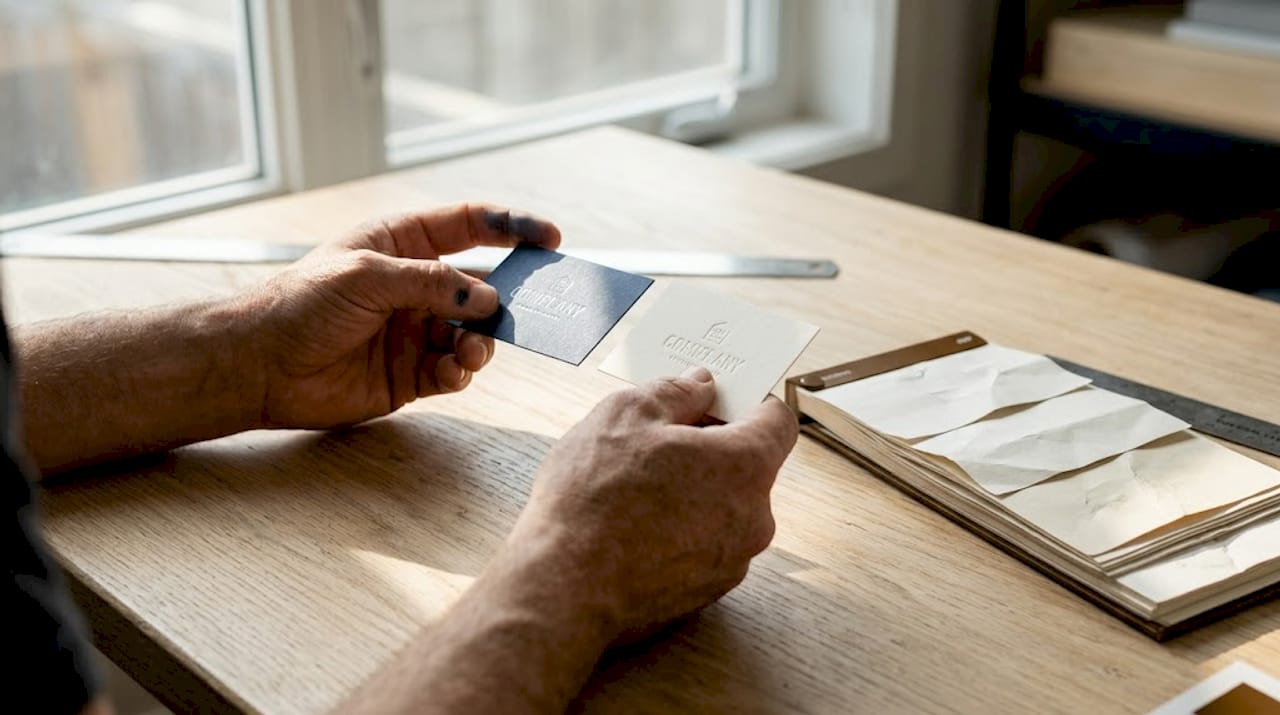
Here’s a practical reference for specialty mockup requirements:
| Finish type | Mockup requirement | Common pitfall |
|---|---|---|
| Foil stamping | Metallic layer with light reflection | Flat gold color instead of real foil glare |
| Embossing/debossing | Raised or recessed surface render | 2D treatment that hides depth |
| UV spot coating | Glossy layer over matte base | No contrast between coated and uncoated areas |
| Rounded corners | Vector path with precise radius | Raster mask causing jagged edge preview |
| Die-cut shapes | Custom silhouette mockup file | Standard rectangle frame distorting the design |
Rounded corners require vector paths with a precise radius between 1.5mm and 6mm, bleed of 0.125 inches, and safe zones to avoid cut issues. Specialty finishes like foil and emboss need dedicated mockups to render accurately.
Here’s what to check in any specialty mockup before sign-off:
- Bleed zone: At least 0.125 inches beyond the trim line on all sides.
- Safe zone: Keep all key text and logos at least 0.125 inches inside the trim line.
- Color accuracy: Metallic and spot colors render differently on screen versus print. Use physical swatches alongside your mockup.
- Edge visibility: Check rounded corners and die-cuts from multiple angles to confirm clean cuts.
- Finish contrast: Foil and UV spot coatings need visible contrast against the base stock.
Pro Tip: Request a physical proof alongside your digital mockup for any card with more than one specialty finish. The mockup confirms layout and proportion. The physical proof confirms tactile feel and color accuracy together.
For a full breakdown of finishing options, the premium finishes guide covers material behavior in detail. If you’re deciding between reflective options, the mirror vs foil comparison is a useful reference before your mockup stage.
Trends and best practices for business card mockups in 2026
Mockup expectations have shifted. Clients and brand owners now expect more than a single flat render. In 2026, the standard is higher and the tools to meet it are more accessible than ever.
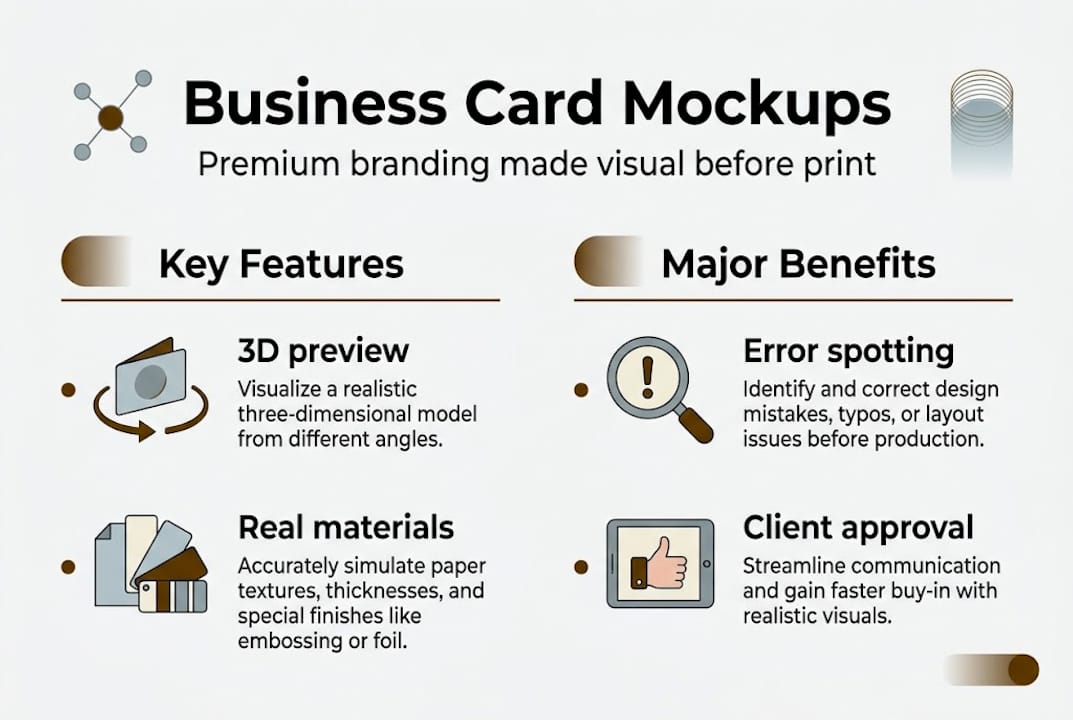
Top mockup trends for 2026 include tactile textures, multi-angle presentation sets, specialty finishes like foil and UV, and sustainable material palettes. These trends reflect what high-end professionals now expect when evaluating a card before production.
Key trends worth applying right now:
- Tactile realism: Mockups now simulate soft-touch, linen, and cotton paper surfaces. This matters because the feel of a card is part of its brand impact.
- Multi-angle sets: A single view is no longer enough. Front, back, side, and hand-held angles together communicate a complete card identity.
- Eco-friendly palettes: Sustainable materials like recycled stock and uncoated kraft paper need mockups that accurately represent their natural texture and color tone.
- Specialty finish layering: Mockups that show foil and emboss together in one render are now expected for premium card presentations.
- Dark and dramatic settings: High-contrast backgrounds make card details pop in mockup presentations, especially for dark-stock or metallic cards.
Mistakes that still show up too often in 2026:
- Using a single mockup angle for a multi-finish card.
- Ignoring how the card back looks in the mockup set.
- Using screen-optimized colors instead of print-accurate color profiles.
- Skipping the mockup stage entirely and going straight to print.
For a stronger output, revisit your creative process tips before building your 2026 mockup set. The investment pays off in fewer production revisions and stronger client approvals.
Our expert perspective: What most guides miss about business card mockups
Most mockup guides treat them as a visual exercise. Show the client something pretty, get a thumbs up, move on. That’s the wrong frame entirely.
Mockups are a quality control tool. They are your last clear checkpoint before money is spent on production. At BcardsCreation, we’ve seen firsthand how a proper mockup review catches spacing issues, finish conflicts, and proportion errors that would have been expensive to correct after print.
Here’s what experienced brand owners do differently. They insist on mockups at every approval stage, not just the final one. They treat mockup sign-off the same way they treat contract sign-off. It’s a documented, deliberate step.
The other thing most guides skip: mockups are powerful in sales and pitch decks. Showing a prospect your card in a professional mockup setting signals that you take your brand seriously. It’s a detail that lasting design impact is built on. Savvy professionals don’t just use mockups to design better cards. They use them to communicate higher standards.
Experience your next custom business card with a professional mockup
You now know how mockups work, what tools to use, and how they protect your investment in premium print. The next step is putting that into practice with a card that’s actually worth the effort.
At BcardsCreation, every project includes design-matched mockup previews as part of the process. No templates, no automated editors. Just precise, material-accurate mockups built around your brand. If you’re ready to explore options, browse our custom business card design service, check our creative business cards with foiling options, or view the full range of business card options available. Your next card should look as good in hand as it does in the mockup.
Frequently asked questions
Why should I use a business card mockup before printing?
Mockups simulate the printed product without physical production, letting you catch layout errors and test finish choices before committing to a print run.
What’s the difference between a mockup and a design file?
A design file is flat artwork on a digital canvas. A mockup places that design in a real-world setting with 3D effects like shadows and lighting, showing the card’s true visual impact.
How do I make a specialty finish mockup, like foil stamping?
Use Adobe Illustrator or dedicated PSD templates that support layered effects. Specialty finishes like foil and emboss need dedicated mockup files to render accurately.
Are business card mockups useful for sustainable or eco-friendly designs?
Yes. Mockups let you test natural textures and sustainable palettes before ordering samples, saving time and material waste during the approval process.


